Stop juggling
SSH tools.
NexTerm replaces PuTTY, WinSCP, and your monitoring dashboard with one fast app. Terminal, files, containers, metrics — connected.
Windows 10/11 · 104 MB · No account required · Free forever
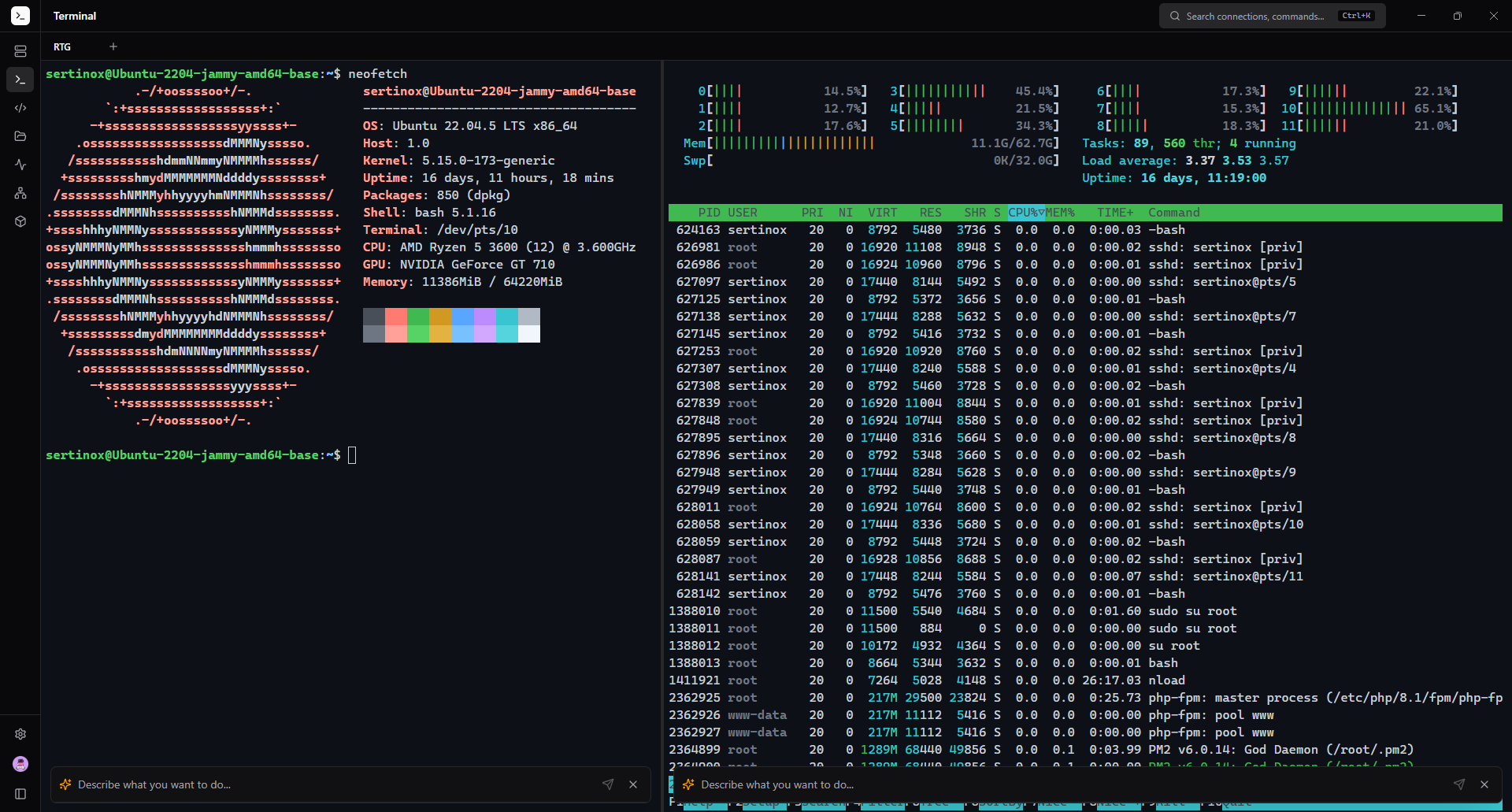
Split pane terminal — neofetch + process monitor running simultaneously
The problem
Your SSH workflow is fragmented.
- ✕ PuTTY for SSH, WinSCP for files, htop over SSH for monitoring
- ✕ Can't remember which server has which credentials
- ✕ No way to manage Docker containers without the CLI
- ✕ Port forwarding requires manual SSH flags every time
The solution
NexTerm unifies everything.
- Terminal + SFTP + monitoring in one window
- Encrypted vault manages all credentials
- Visual Docker manager — click, don't type
- SSH tunnels with a form, not command flags
Pro feature
Ask in English.
Get the exact command.
Press Ctrl+I in any terminal. Describe what you want. AI generates the command, you review and run.
You: "find all log files larger than 100MB modified this week"
find /var/log -name "*.log" -size +100M -mtime -7
Features
Everything. One app.
No plugins. No extensions. No separate tools.
Multi-Tab Terminal
Split panes, draggable tabs, persistent sessions across views.
Connection Manager
Groups, tags, favorites, quick connect. One-click SSH access.
SFTP Browser
Drag & drop uploads, in-app file editor, right-click context menu.
AI Assistant
Ctrl+I — describe a task in plain English, get the exact command.
Docker Manager
List containers, start/stop/restart, stream logs. No CLI needed.
Server Monitoring
Live CPU, memory, network, disk usage with real-time charts.
SSH Tunnels
Visual port forwarding. Local and remote tunnels in clicks.
Encrypted Vault
AES-256-GCM. Credentials never stored in plaintext. Ever.
Session Recording
Record and replay terminal sessions. Asciicast v2 compatible.
Cloud Sync
Sync connections across devices. Passwords stay local.
7 Terminal Themes
Dracula, Nord, Tokyo Night, Monokai, Solarized, and more.
Auto Updates
Silent background updates. Always on the latest version.
Pricing
Start free. Go Pro when ready.
No credit card needed. No trial period. Free means free.
Free
Forever. No strings.
- 3 connections
- 2 tabs
- SSH terminal
- SFTP browser
- Command library
- 7 terminal themes
Pro
Cancel anytime
- Unlimited everything
- AI terminal (Ctrl+I)
- Docker manager
- Server monitoring
- SSH tunnels
- Cloud sync
- Session recording
- Priority support
Lifetime
One payment. Forever yours.
- Everything in Pro
- All future updates
- Pay once
- Lifetime license
- Best value
Comparison
How NexTerm stacks up.
Feature-for-feature against the tools you know.
Your servers deserve
a better client.
Join the developers who switched from PuTTY. It takes 30 seconds.
Download NexTerm — it's freeNo signup · No credit card · Works in 30 seconds